
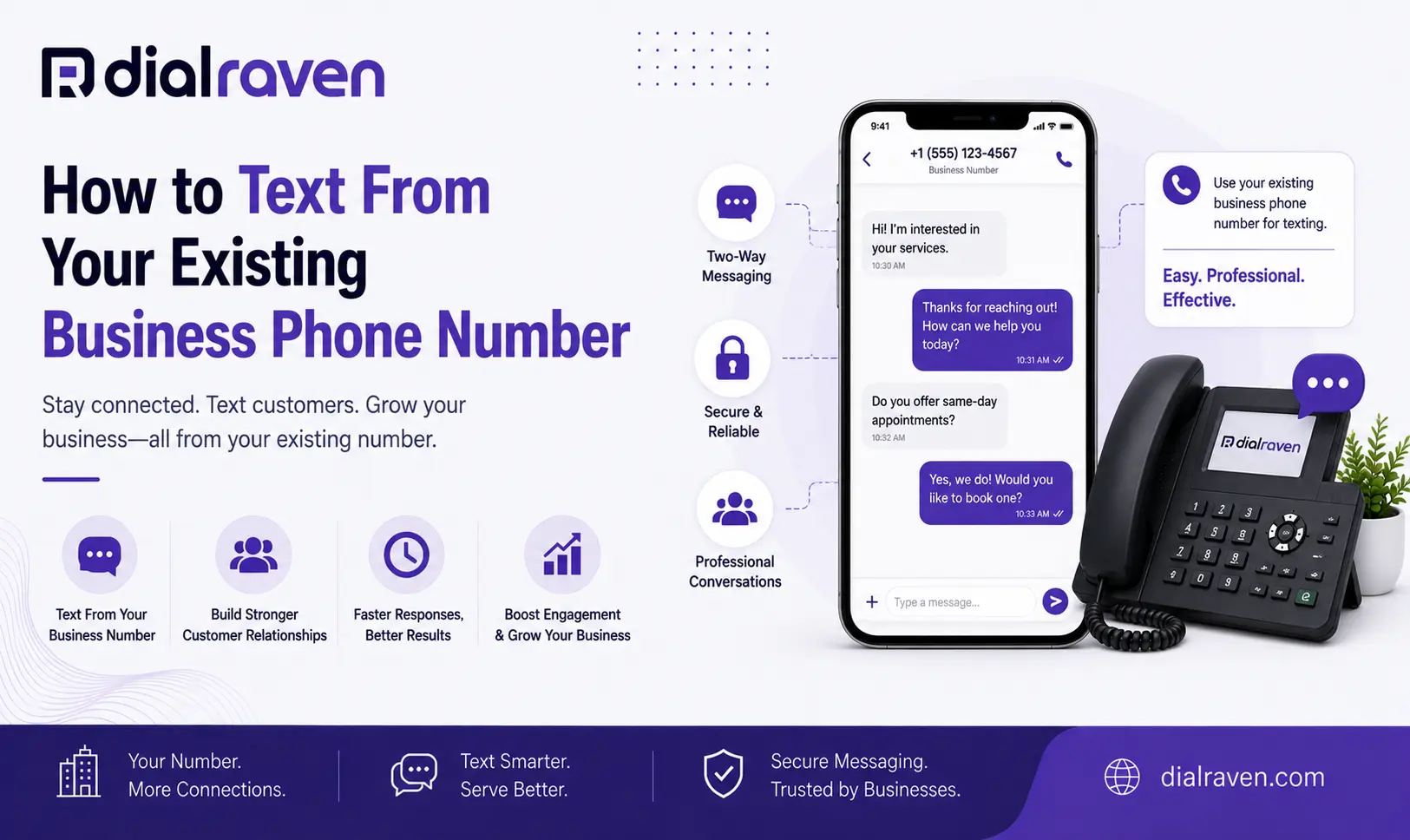
How to Text From Your Existing Business Phone Number
Learn how to text from your existing business phone number, enable SMS on a landline or VoIP line, keep calls working, and use one number for both.
Quick Answer
Many existing business landline and VoIP numbers can be enabled for two-way SMS, letting customers call and text the same number. The setup depends on your number and provider; U.S. business messaging may also require registration, consent, and opt-out controls.
Dial Raven Team
VoIP Communication Expert
Customers should not need one number to call your business and another number to send a text. If you already have a phone number printed on your website, invoices, vehicles, business cards, Google Business Profile, or advertising, adding messaging to that familiar number can create a much simpler customer experience.
In many cases, you can text from your existing business phone number without replacing the number customers already know. Depending on your current phone provider and number type, SMS may be activated through your existing VoIP platform, added through a compatible messaging service, or enabled as part of a move to a provider that handles both voice and business texting. The important part is understanding what you have today before changing anything.
Can You Text From a Business Phone Number?
Yes. Many existing business numbers can support two-way SMS, including eligible VoIP, landline, and other business numbers. Text-enabling adds messaging capability so customers can send texts to the same digits they already use for calls.
Employees do not normally need to text customers from personal cell phones. With a business messaging platform, conversations can instead appear in a shared desktop or mobile inbox where authorized team members can respond. Dial Raven's Business SMS is designed to let businesses manage customer texting from an existing business number while keeping conversations associated with the company rather than individual employees.
What Does It Mean to Text-Enable a Business Phone Number?
To text enable a business phone number means adding SMS and, where supported, MMS messaging to a number that may previously have been used only for voice calls. Customers continue seeing the familiar business number.
Behind the scenes, voice and messaging can be handled as separate communication functions. That means the number may continue routing calls through the normal phone environment while incoming and outgoing texts are handled through business messaging software.
- Two-way customer conversations
- Shared team inboxes
- Desktop and mobile messaging
- Conversation history
- Automated replies
- Appointment or service reminders
- Missed-call follow-up
- Opt-out handling
- Message archiving
Can You Text From a Landline Business Number?
In many cases, an eligible landline business number can be text-enabled. That does not mean employees suddenly start typing SMS messages on a traditional desk phone. Instead, the number receives messaging capability through software, and incoming texts appear in a web browser, desktop application, mobile application, or shared team inbox.
For example, imagine a plumbing company that has advertised the same main office number for 12 years on its trucks, website, invoices, Google listings, and printed materials. Rather than publishing a second mobile number just for texting, the company may be able to text from its landline business number so customers use one familiar contact point.
If the traditional phone environment is also causing broader limitations, Dial Raven's guide to switching from landline to VoIP explains when it may make sense to modernize the whole phone system instead of adding another standalone tool.
Can a VoIP Number Send Text Messages?
Yes. An eligible VoIP number can send and receive text messages when SMS is supported and correctly provisioned. However, a VoIP number is not automatically text-enabled simply because it works over the internet.
The phone or messaging provider still needs to support texting for that number, and any applicable business-messaging setup must be completed. This is why two businesses can both use VoIP but have different answers: one may already have messaging built into the phone platform, while another may have voice-only service that needs SMS added separately.
3 Ways to Add Texting to an Existing Business Number
There is no single setup that fits every business. The right path depends on who currently provides your voice service, whether that provider supports messaging, and whether you want calls and texts managed together.
| Setup | Keep Existing Number | Keep Current Voice Provider | Best Fit |
|---|---|---|---|
| Enable SMS with current VoIP provider | Yes | Yes | Existing platform already supports business texting |
| Add compatible hosted messaging | Yes, when supported | Often | Business wants to preserve its current voice setup |
| Move number to integrated voice + SMS platform | Yes, if portable | No | Business wants calls and texts managed together |
Option 1: Enable SMS With Your Existing VoIP Provider
If your current business phone provider already supports texting, this is usually the simplest path. Ask whether the number is eligible for SMS and what registration or activation steps are required. Once enabled, employees may be able to manage calls and texts through the same platform.
Option 2: Add Messaging While Keeping Current Voice Service
Some businesses want to keep their current voice provider but add messaging through another compatible service. Where the number and providers support this arrangement, voice can continue through the existing setup while SMS is handled through the messaging platform.
This can be useful when the existing phone service works well but lacks business texting. Compatibility should be confirmed before making changes because number ownership, messaging provisioning, carrier relationships, and provider policies can vary.
Option 3: Move to a Platform That Handles Voice and SMS Together
If the current phone system is already creating operational problems, adding another standalone tool may increase complexity. Moving to an integrated platform can make it easier to manage the same business number for calls and texts, user access, customer conversations, and related communication workflows in one environment.
Does Text-Enabling Affect Your Existing Phone Calls?
Properly configured business texting should not automatically mean giving up normal voice calls. The exact arrangement depends on the number, provider, and how messaging is provisioned.
- Confirm who will continue hosting voice service
- Confirm who will handle business messaging
- Verify that the number is eligible for texting
- Determine whether number porting is required
- Confirm whether existing call routing will change
- Understand what happens during activation
- Test normal voice calls after messaging is enabled
Do not make assumptions about a production business number. Any change affecting voice or messaging should be understood and tested before the number is promoted as text-enabled.
How to Text-Enable Your Business Phone Number
A practical setup process is: Check → Enable → Register → Configure → Test.
Step 1: Identify Your Number Type
Start by documenting the number you want customers to text and identify the provider currently responsible for it.
- VoIP business number
- Traditional landline
- Toll-free number
- Mobile number
- Other business-number type
Also confirm that the business controls the account and knows who is authorized to make service changes.
Step 2: Check Whether the Number Is Eligible
Ask the messaging provider to confirm text-enablement eligibility. Do not assume that a number supports SMS merely because it receives phone calls. Eligibility can depend on the number type, carrier relationships, location, existing messaging configuration, and provider capabilities.
Step 3: Decide Where Messaging Will Be Hosted
Choose whether messaging should be provided by the current VoIP provider, a separate compatible messaging platform, or an integrated replacement phone and SMS provider. The best choice should reduce, rather than increase, the number of disconnected tools employees need to monitor.
Step 4: Complete Applicable Business Messaging Registration
For U.S. application-to-person messaging from standard 10-digit local numbers, A2P 10DLC registration can be part of the setup. The Campaign Registry describes 10DLC as an A2P messaging channel in which brands and messaging providers are identified within the messaging ecosystem.
Dial Raven's 10DLC guide for small business covers brand and campaign registration in more detail. Registration is only one part of responsible business texting; the workflow should also account for customer permission, opt-outs, and messaging practices applicable to the use case.
Step 5: Configure Your Team Inbox
Decide who should be able to see and answer conversations. A business inbox should make ownership clear rather than becoming another channel where everyone assumes someone else replied.
- Authorized users
- Conversation ownership
- Response responsibilities
- Business hours
- After-hours messages
- Approved templates
- Escalation rules
- Message history access
Step 6: Test Calls and Texts
Before advertising the number as text-enabled, test it from an external mobile phone. A successful outbound message by itself is not enough to prove the entire workflow works.
- Inbound SMS
- Outbound SMS
- Replies
- MMS if required
- Team notifications
- Conversation assignment
- Opt-out handling
- Normal voice calls
- Existing call routing
Can Multiple Employees Text From One Business Number?
Yes. A business messaging platform can allow multiple authorized employees to work from one business number. This is very different from giving a single employee a company cell phone and making that device the only place customer messages can be seen.
- Shared conversation visibility
- Central message history
- Multiple authorized users
- Employee privacy
- Consistent business identity
- Coverage when someone is absent
- Continuity when employees leave
A shared messaging environment helps keep customer relationships connected to the business itself rather than to one employee's personal device or account.
Why Use the Same Business Number for Calls and Texts?
A familiar number removes unnecessary friction. Customers already know where to find it, so the business does not need to publish one number for voice and another for messaging when the existing number can appropriately support both.
- Customer recognition
- Consistent branding
- Simpler website contact information
- Easier signage
- Cleaner marketing materials
- Fewer questions about which number to use
- Less reliance on employee personal numbers
Business Texting Use Cases
Once the number is enabled, texting can support much more than promotional messages. The best workflows solve practical communication problems.
- Appointment confirmations
- Scheduling questions
- Quote follow-ups
- Service updates
- Pickup notifications
- Customer support
- Order updates
- Approved reminders
- Missed-call recovery
- After-hours acknowledgements
For example, when someone calls while your team is unavailable, missed call text back software can automatically acknowledge the call and move the conversation into SMS for follow-up.
What Happens When Someone Texts Your Business Number Today?
Before buying anything, send a simple test message from an external mobile phone to the business number customers already see online. Then determine exactly what happens.
Result 1: Your Team Receives the Message
Messaging may already be enabled somewhere. Identify which provider or application currently controls those conversations before changing the setup.
Result 2: The Message Fails
The number may not currently support messaging. The next step is to check text-enablement eligibility with the appropriate provider.
Result 3: Nobody Knows Where the Message Went
This is the dangerous middle ground. Customers may believe they successfully contacted the business while employees have no process for monitoring or responding through that channel.
Result 4: Another Vendor Controls SMS
Document the existing configuration before attempting to enable messaging elsewhere. Do not create competing messaging setups around the same production number without understanding how it is currently provisioned.
Existing Business Number vs New Texting Number
| Factor | Existing Business Number | Separate Texting Number |
|---|---|---|
| Customer recognition | High | New number must be introduced |
| Calls and texts | One contact point when supported | Separate contact points |
| Website changes | Minimal | New number must be added |
| Signage and printed materials | Often unchanged | May require updates |
| Team workflow | Can be unified | Often becomes another channel |
| Best fit | Established businesses | New campaigns or use cases needing separation |
A separate texting number can still make sense for a specific campaign, department, or workflow. But for an established company, the number customers already recognize is often the logical first number to evaluate for text-enablement.
How Business SMS Fits Into Omnichannel Communication
Text messaging should not become another isolated customer-service silo. A customer may call your business, receive a follow-up text, reply by SMS, and contact the company through another messaging channel later.
A stronger communications setup keeps those interactions easier for employees to manage. Dial Raven's omnichannel checklist explains how calls, SMS, social messaging, and other customer conversations can fit into a more unified communication workflow.
Business SMS Setup Checklist
- Confirm the business controls the phone number
- Document the number type
- Verify texting eligibility
- Understand any impact on voice service
- Select the messaging provider
- Complete applicable registration
- Define customer permission workflow
- Configure opt-out handling
- Add authorized team users
- Define shared inbox ownership
- Configure business-hours rules
- Test inbound SMS
- Test outbound SMS
- Test MMS if required
- Confirm normal phone calls still work
- Train employees on response ownership
Final Verdict: One Number Can Simplify Customer Communication
For many businesses, adding SMS does not require teaching customers a completely new contact number. An eligible existing landline or VoIP number may be able to support both voice and business texting, giving customers one familiar contact point while employees manage conversations through professional business tools.
The right implementation depends on your current number, provider, messaging requirements, and registration needs. Start by answering one simple question: can the number your customers already call be text-enabled safely without disrupting the phone service you rely on?
Frequently Asked Questions
Can I text from my existing business phone number?
Many existing business landline and VoIP numbers can be enabled for two-way SMS. Eligibility and setup depend on the number and provider, so confirm support before making changes to a production business line.
Can you text from a landline business number?
Many eligible landline numbers can be text-enabled through business messaging software. Employees normally send and receive messages through a web, desktop, or mobile application rather than through the physical landline phone.
Can a VoIP number send text messages?
Yes, an eligible VoIP number can send and receive SMS when the phone or messaging provider supports it and messaging has been correctly provisioned. A VoIP number is not automatically text-enabled.
Can I use the same business number for calls and texts?
Yes, when the number and provider support both services. Customers can call and text the same recognizable number while employees handle voice and messaging through business communications tools.
Will enabling SMS affect my existing phone service?
It depends on how texting is provisioned. Some providers can add messaging while existing voice service continues normally. Confirm the architecture and test voice calls before considering the text-enablement complete.
Do I need a new phone number for business texting?
Not necessarily. An eligible existing business number may be text-enabled, allowing you to keep the number customers already know instead of advertising a second contact number.
Do I need 10DLC registration to text customers?
U.S. application-to-person business messaging using standard 10-digit local numbers can require A2P 10DLC registration. The exact registration and messaging requirements depend on the number and use case, so work through your messaging provider.
Can multiple employees reply from one business phone number?
Yes. A shared business SMS inbox can allow multiple authorized employees to view and respond to conversations while customers continue seeing the same business number.
Want to add texting to the number customers already know? Dial Raven can review your existing business number and phone setup, determine the right approach for Business SMS, and help configure calling, texting, team access, and applicable messaging registration. Check your business number and find out the best way to add texting without creating another customer contact number.
Related pages
Ready to modernize your phone system?
Talk to a Dial Raven specialist and get a plan built around how your team works.