
Missed Call Text Back Software: Pricing & Setup (2026)
Compare missed call text back software pricing, setup options, message templates, compliance considerations, and ways to recover more callers.
Quick Answer
Missed call text back software detects an unanswered business call and automatically sends the caller an SMS with a clear next step. The best setup uses the existing business number, different business-hours and after-hours rules, duplicate-message controls, two-way replies, and an assigned follow-up owner.
Dial Raven Team
VoIP Communication Expert
Missed call text back software detects when a business call goes unanswered and automatically sends the caller a text message. Instead of reaching a silent voicemail box, the caller receives an immediate acknowledgement and a practical next step, such as replying with their request, booking an appointment, or waiting for a callback.
For a small business, the feature can recover conversations that would otherwise end when employees are serving a customer, driving, working on site, or closed for the day. The result depends on more than sending one generic message: timing, existing-number support, reply ownership, duplicate suppression, after-hours rules, compliance, and follow-up all matter.
What Is Missed Call Text Back Software?
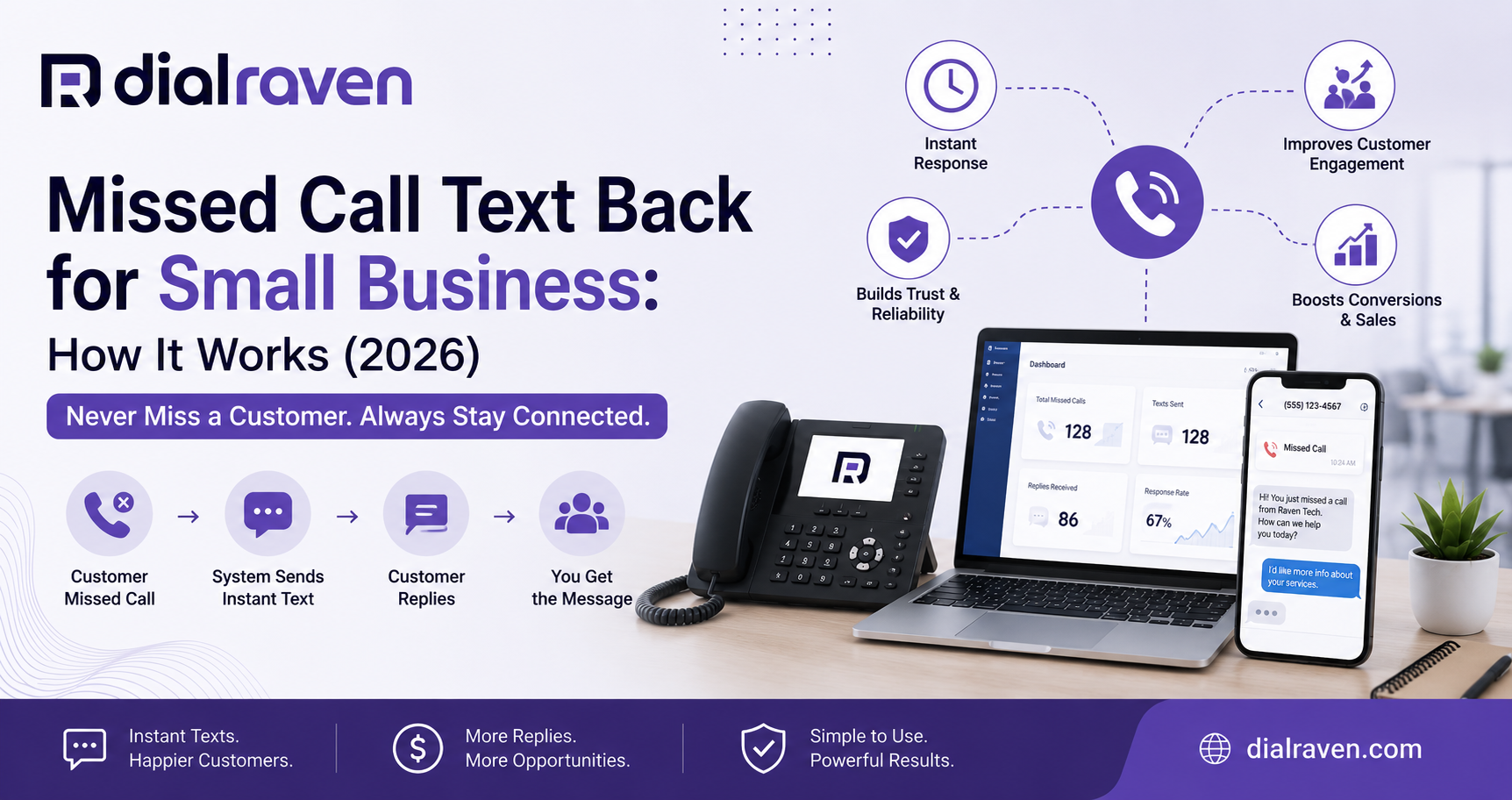
Missed call text back software is an automated business-messaging tool triggered by an unanswered inbound call. It sends a predefined or workflow-based SMS to the caller and, in a complete setup, opens a two-way conversation in a shared team inbox.
- A customer calls the business number
- The call is not answered within the configured time or routing sequence
- The phone platform records a missed-call event
- An approved missed call auto reply text is sent
- The caller replies, books, or waits for a callback
- The reply is assigned to an employee or routed into an automated workflow
- The outcome is recorded for follow-up and reporting
The strongest setup keeps calling and texting connected. Dial Raven's business SMS from your existing number lets customers call and text the same professional number while employees manage replies from desktop and mobile tools.
Missed Call Text Back Software Pricing
Missed call text back software pricing usually depends on message volume, connected numbers, users, locations, automation depth, AI conversations, integrations, and onboarding. Public plans reviewed in July 2026 ranged from low-cost single-number tools to higher-priced workflow platforms with CRM, booking, and multi-location configuration.
| Pricing Level | Estimated Monthly Range | Typical Capabilities | Costs to Check |
|---|---|---|---|
| Basic | $25-$50 | One number, one or more templates, basic missed-call SMS, limited message allowance | Extra messages, separate reply number, user limits |
| Growing team | $50-$150 | Two-way texting, multiple users, after-hours rules, reporting, booking links | Included messages, number limits, overages, integrations |
| Advanced workflow | $150-$350 | CRM connection, lead qualification, follow-up sequences, analytics, custom routing | Setup fees, usage billing, AI limits, support tier |
| Multi-location or custom | $350+ | Multiple locations, advanced assignment, custom workflows, implementation support | Per-location fees, onboarding, carrier usage, custom development |
These ranges are market estimates, not Dial Raven plan quotes or guarantees. A low monthly price may exclude two-way replies, your existing number, multiple employees, integrations, or enough message volume for a busy business.
What to Check Before Comparing Prices
- Whether the advertised price is monthly or requires annual billing
- How many phone numbers, locations, users, and messages are included
- Whether each SMS segment or conversation creates an overage
- Whether callers reply to your business number or a separate number
- Whether business-hours and after-hours templates are included
- Whether booking, CRM, and shared-inbox integrations cost extra
- Whether AI replies are billed by message, conversation, token, or usage
- Whether number porting, call forwarding, setup, and testing incur fees
- Whether 10DLC registration and carrier charges are included
When text back is included within a complete business phone system, the business may avoid another dashboard and disconnected call records. Compare the total workflow cost, not only the standalone feature price.
Standalone Service vs. Built-In Phone System Feature
| Option | Main Benefit | Main Limitation | Best Fit |
|---|---|---|---|
| Standalone text-back tool | Fast deployment for one specific problem | May add a separate number, inbox, subscription, and reporting system | A business keeping its current phone platform |
| CRM automation | Connects replies with sales or customer records | Requires more setup and dependable call-event data | Teams already operating inside one CRM |
| Built-in phone-system feature | Keeps calls, texts, routing, users, and history together | Requires a compatible business communications platform | Businesses upgrading or consolidating communications |
| AI receptionist plus text back | Answers many calls live and follows up when calls still fail | Needs carefully defined knowledge, escalation, and automation rules | High-value or after-hours inbound call operations |
A missed call text back service for small business should make ownership clear. When a caller replies, the system should show who is responsible, whether another employee has responded, and what happened on the original call.
How to Set Up Missed Call Text Back
1. Connect the Correct Business Number
Decide whether the existing number can send and receive SMS directly or whether unanswered calls must forward to another service. Using one number for calling and texting is usually easier for customers, but compatibility and registration must be verified.
2. Define What Counts as a Missed Call
Choose whether the trigger fires after a no-answer timeout, busy signal, rejected call, closed queue, failed transfer, after-hours route, or abandoned queue call. Exclude internal calls, test numbers, spam, and other events that should not create a customer message.
3. Choose the Sending Delay
An instant text can reassure the caller, but a brief delay may prevent an awkward duplicate when an employee is already returning the call. Test a delay that matches the team's real callback speed rather than copying another business's timing.
4. Create Separate Message Rules
Use different messages for business hours, after hours, weekends, holidays, emergencies, and locations. Each message should identify the business and give one clear next action.
5. Prevent Duplicate Messages
Set a suppression window so a caller who tries repeatedly does not receive the same automatic text after every attempt. The system should also stop automatic follow-up when an employee has already replied or resolved the conversation.
6. Assign Replies
Route replies by location, department, business hours, service type, or on-call schedule. A shared inbox without assignment rules can simply replace missed calls with missed texts.
7. Test Complete Scenarios
Test mobile and landline callers, blocked caller ID, repeated calls, failed delivery, STOP and HELP responses, immediate employee callbacks, after-hours calls, unavailable employees, and handoffs between users.
Missed Call Text Back Templates
Good missed call text back templates are short, specific, and easy to answer. Replace every bracketed placeholder, confirm the wording with your compliance process, and avoid promising a response time your team cannot consistently meet.
Business-Hours Template
"Hi, this is [Business Name]. Sorry we missed your call. Reply with what you need, and a team member will help as soon as possible. Reply STOP to opt out."
After-Hours Template
"Thanks for calling [Business Name]. We're currently closed. Reply with your name and request, and we'll follow up after [opening time]. Reply STOP to opt out."
Appointment-Based Business Template
"Hi, this is [Business Name]. We missed your call. Reply with the service and preferred day, or book here: [Approved Booking Link]. Reply STOP to opt out."
Home-Service Template
"Hi, this is [Business Name]. Sorry we couldn't answer. Reply with your ZIP code and a brief description of the job, and we'll confirm availability. Reply STOP to opt out."
Urgent-Service Template
"You reached [Business Name]. If this is an immediate safety emergency, call 911. Otherwise, reply with your location and issue so our on-call team can review it. Reply STOP to opt out."
Healthcare-Safe General Template
"This is [Practice Name]. We missed your call. Please do not text medical details. Reply with your name and callback number, and our office will contact you. For an emergency, call 911. Reply STOP to opt out."
Multi-Location Template
"Thanks for calling [Business Name]. We missed you. Reply with the location you need and a short description of your request. Our team will route it correctly. Reply STOP to opt out."
No-Reply Follow-Up Template
"Following up from [Business Name] about your call. Let us know if you still need help, or reply STOP to opt out."
What Happens in Unusual Situations?
| Situation | Recommended System Behaviour |
|---|---|
| Caller uses a landline | Record the missed call but do not repeatedly attempt SMS after a confirmed delivery failure |
| Caller ID is blocked | Do not send a message because there is no valid destination number |
| Employee calls back immediately | Cancel or suppress the automated text when technically possible |
| Same caller calls repeatedly | Use a suppression window instead of sending the same message after every call |
| Caller replies STOP | Apply the opt-out immediately and prevent further automated texts except legally permitted confirmations |
| Message cannot be delivered | Flag the failure for another follow-up method rather than creating repeated retries |
| Several employees see the reply | Assign one owner and show conversation status to prevent conflicting responses |
SMS Compliance and 10DLC
A caller initiating contact does not create unlimited permission for unrelated promotional texts. Keep the first automated response closely connected to the missed call, identify the business, provide clear opt-out handling, and separate customer-service follow-up from later marketing campaigns.
- Register applicable US application-to-person messaging through the appropriate 10DLC process
- Match the registered campaign use case to the messages actually being sent
- Clearly identify the business in the message
- Support standard STOP and HELP handling
- Maintain records of consent and opt-outs where required
- Do not add promotions to a service response without an appropriate consent basis
- Review state, federal, carrier, and industry-specific requirements
- Obtain qualified legal advice for regulated or high-risk workflows
Review Dial Raven's guide to 10DLC registration for small business before launching automated business texts. The FCC also accepts complaints about unwanted calls and messages through its Unwanted Calls and Texts resource, which reinforces the need for careful consent and opt-out practices.
Missed Call Text Back vs. AI Receptionist
| Capability | Missed Call Text Back | AI Receptionist | Auto Attendant |
|---|---|---|---|
| When it acts | After a call goes unanswered | During the original call | At the start of the call |
| Primary function | Recover the conversation by SMS | Answer, qualify, book, or transfer conversationally | Route through fixed menu options |
| Best use | Backup, overflow, and after-hours lead recovery | Live 24/7 answering and routine workflows | Simple department and extension routing |
| Human fallback | Employee takes over the text thread | Transfers or creates a callback task | Transfers to the selected destination |
Text back and live answering solve different problems. An AI receptionist for small business reduces the number of unanswered calls, while text back creates a safety net when a caller still cannot reach anyone.
How to Calculate the Value of Recovered Calls
Avoid generic claims about how much every missed call is worth. Use your own call, sales, and booking data to estimate the break-even point.
- Count the average number of missed external calls per month
- Estimate what percentage are genuine sales, booking, or service opportunities
- Calculate the normal conversion rate for qualified callers
- Determine the average gross value of one new customer or appointment
- Estimate the value currently lost from missed opportunities
- Subtract software, message, setup, and employee follow-up costs
- Calculate how many recovered customers are required to break even
Example: if the complete system costs $79 per month and one recovered appointment contributes more than $79 in gross value, one additional completed booking may cover the software. The business should still confirm the result using actual attribution rather than assuming every reply was incremental.
How to Measure Performance
- Total eligible missed calls
- Automatic texts successfully delivered
- Caller reply rate
- Average time to employee response
- Qualified leads captured
- Appointments or callbacks booked
- Missed callers converted into customers
- Messages requiring manual escalation
- Delivery-failure and landline rate
- STOP and opt-out rate
- Revenue or opportunities attributed to recovered callers
A high message count is not the objective. The workflow succeeds when callers receive a useful response, employees take ownership, and the business can connect recovered conversations with appointments, sales, or resolved service requests.
Questions to Ask a Software Provider
- Can we keep the same number for calling and texting?
- Exactly which call outcomes trigger a message?
- Can we control delays and duplicate-message suppression?
- Are separate business-hours, after-hours, holiday, and location templates supported?
- How are replies assigned and tracked across employees?
- What happens with landlines, blocked numbers, STOP replies, and failed delivery?
- Are message, user, number, location, and AI limits clearly disclosed?
- Does the system support CRM, calendar, booking, and reporting integrations?
- Is 10DLC registration included or managed separately?
- Can we export message history, opt-outs, and performance data?
Frequently Asked Questions
What is missed call text back software?
It is software that detects an unanswered business call and automatically sends the caller a text message. A complete setup also supports two-way replies, employee assignment, templates, reporting, and follow-up workflows.
How much does missed call text back software cost?
Simple tools commonly begin around $25-$50 per month, while growing-team plans may range from roughly $50-$150. Advanced workflow and multi-location platforms can cost $150-$350 or more, plus setup or message usage. These are market estimates rather than universal prices.
Can missed call text back use my existing business number?
Often, yes, when the number and provider support business SMS or the service uses an approved connection or forwarding setup. Confirm whether replies come from the same number before purchasing.
How quickly should a missed-call text be sent?
The message should arrive quickly enough to acknowledge the caller, but the ideal delay depends on how fast employees return calls. A short delay may prevent a duplicate interaction when someone is already calling back.
What should a missed call auto reply text say?
It should identify the business, acknowledge the missed call, offer one clear next step, avoid unsupported promises, and include the opt-out language required by the approved messaging workflow.
Is missed call text back the same as an AI receptionist?
No. Text back responds after a call is missed. An AI receptionist attempts to answer and handle the original call. Businesses can use both, with text back serving as a backup for unanswered, dropped, or overflow calls.
What happens if the caller uses a landline?
The SMS may fail because the destination cannot receive texts. The system should record the failure, avoid repeated attempts, and create another follow-up task when appropriate.
Missed call text back for small business works best when calling, SMS, routing, users, and reporting operate together. Share your business hours, monthly call volume, current number, locations, and follow-up process with Dial Raven. Review VoIP plans and pricing or request a missed-call recovery review.
Related pages
Ready to modernize your phone system?
Talk to a Dial Raven specialist and get a plan built around how your team works.