
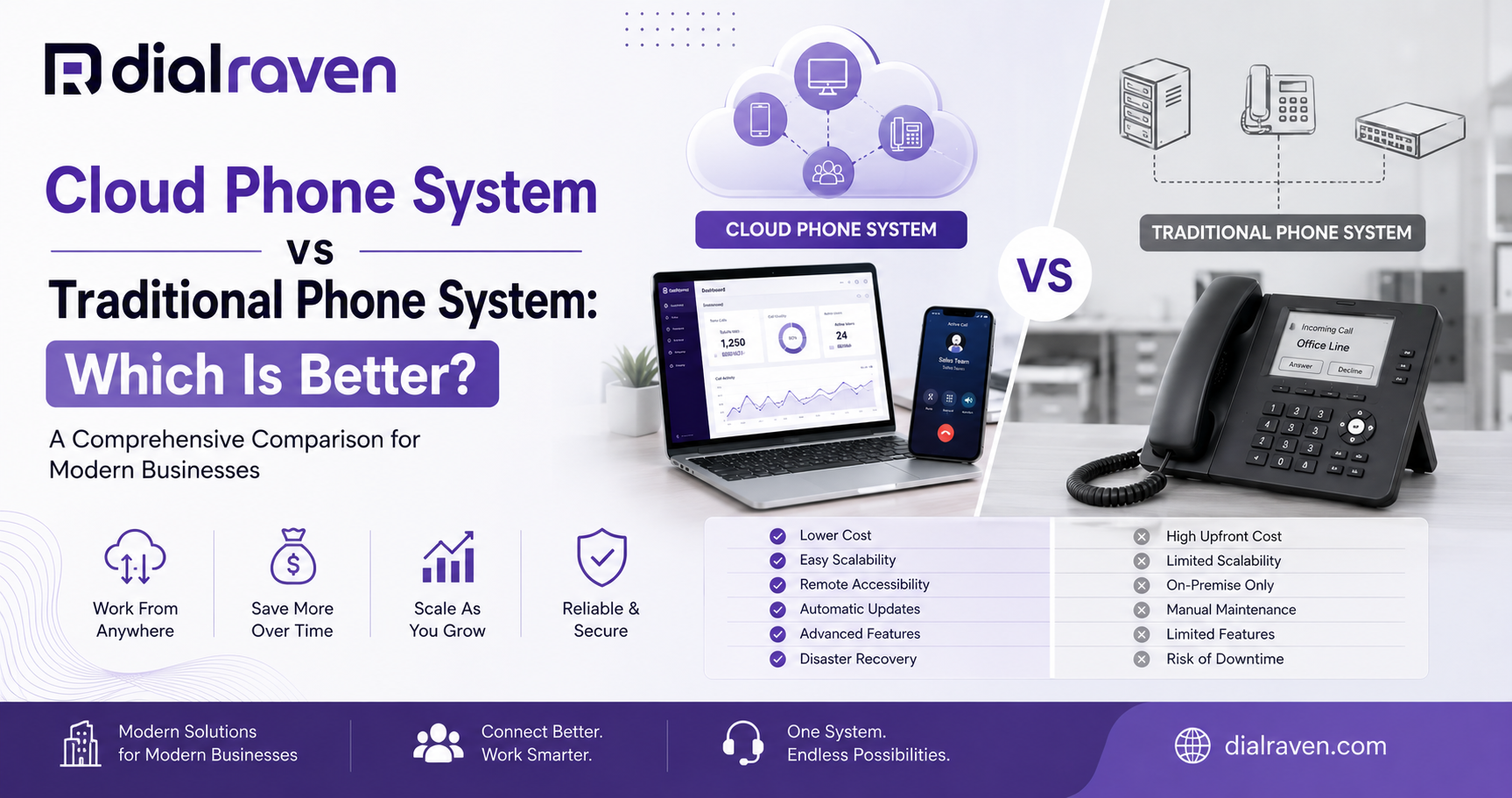
VoIP vs Landline for Business: Cost & Reliability (2026)
Compare VoIP vs landline for business costs, reliability, outages, hardware, E911, and the pros and cons of each phone system.
Quick Answer
VoIP is usually better for businesses that need lower operating costs, remote access, easy scaling, and modern calling features. A landline or hybrid setup may still fit locations with unreliable broadband or critical analogue equipment that has not been validated for VoIP.
Dial Raven Team
VoIP Communication Expert
Choosing between VoIP and a landline affects much more than the monthly phone bill. It determines where employees can answer calls, how quickly the system can scale, what happens during an outage, which customer-service features are available, and how much equipment the business must maintain.
For most US small and midsize businesses, VoIP is the stronger long-term choice because it combines calling, routing, mobile access, messaging, analytics, and integrations in one centrally managed platform. A traditional landline or hybrid design can still be appropriate where broadband is unreliable or specialised analogue equipment must remain in service.
VoIP vs Landline for Business: Quick Answer
VoIP is generally better for businesses that value predictable per-user pricing, remote work, fast expansion, mobile apps, auto attendants, business SMS, call recording, and central administration. Landlines remain useful in limited situations, particularly where dependable broadband is unavailable or a tested analogue device cannot yet be replaced.
VoIP vs Landline at a Glance
| Decision Factor | Business VoIP | Traditional Landline |
|---|---|---|
| Call delivery | Calls travel over an IP network and internet connection | Calls use a fixed carrier line, traditionally copper-based POTS or legacy fixed-line service |
| Pricing model | Usually priced per user, extension, or service plan | Usually priced per physical line, circuit, or carrier package |
| Upfront cost | Low when using apps or existing compatible devices | Can require installation, wiring, PBX equipment, and technician labour |
| Remote work | Employees can use desk phones, computers, and mobile apps | Normally tied to the physical business location |
| Scaling | Users and numbers can usually be added through an admin portal | Additional lines or PBX capacity may require hardware or installation |
| Advanced features | Auto attendant, queues, SMS, recording, analytics, and integrations are commonly available | Features may be limited, unavailable, or purchased separately |
| Internet dependency | Requires a suitable network connection or configured failover | Traditional POTS does not depend on business internet |
| Power outage | Requires powered network equipment, backup power, mobile apps, or forwarding | A basic line-powered analogue phone may continue, but many modern fixed services still require powered equipment |
| Administration | Provider-hosted and centrally managed | Carrier-managed lines plus possible on-site PBX maintenance |
| Best fit | Growing, mobile, remote, multi-location, or feature-dependent teams | Locations with poor broadband or specific validated legacy requirements |
What Is a Traditional Business Landline?
A traditional business landline is a fixed telephone service associated with a physical location. Classic POTS lines carry calls over copper infrastructure connected to the public switched telephone network. Larger offices may use those external lines with an on-premise PBX that manages extensions and internal call routing.
The word landline is now used loosely. Some services sold as fixed business lines may run over fibre, cable, wireless, or a provider-managed digital network rather than end-to-end copper. Businesses should therefore ask how the service is delivered and what equipment requires local power before assuming it will behave like an old line-powered telephone.
What Is Business VoIP?
Voice over Internet Protocol converts speech into digital packets and carries calls over an IP network. In a hosted VoIP or cloud PBX service, the provider operates the core phone platform while the business manages users, numbers, call flows, and features through an online portal.
Employees can answer through compatible IP desk phones, desktop applications, mobile applications, or browser-based tools. A modern business phone system can also combine auto attendant, voicemail, queues, SMS, recording, reporting, and integrations with the same user accounts.
VoIP vs Landline Cost
A useful VoIP vs landline cost comparison must include the complete system rather than one advertised monthly price. Hosted VoIP is commonly sold per user, while a traditional setup may include line rental, PBX equipment, installation, feature charges, maintenance, and technician visits.
| Cost Component | Business VoIP | Traditional Landline |
|---|---|---|
| Monthly service | Approximately $10-$40 per user per month in published 2026 market pricing | Carrier-specific line charges plus taxes, fees, and any feature packages |
| Dial Raven starting price | $15 per month for Business Voice | Not applicable |
| Core phone platform | Usually included in the subscription | May require an on-site PBX, key system, or managed carrier equipment |
| Desk phones | Optional when employees use desktop or mobile apps | Physical handsets are normally required |
| Installation | Often remote, with possible network or hardware work | May involve line installation, wiring, PBX programming, and technician labour |
| Maintenance | Core platform maintained by the provider | On-site equipment may require support contracts, parts, and service visits |
| Adding users | Usually an additional licence and device configuration | May require a new line, port, card, cable, or PBX capacity |
| Advanced features | Often included or available by software tier | May require separate services or additional equipment |
| Resilience | May require UPS equipment, secondary internet, or mobile failover | May require carrier diversity, backup lines, or powered terminal equipment |
The VoIP ranges above are market estimates, not universal quotes. Dial Raven currently lists Business Voice at $15 per month, including nationwide calling, auto attendant, desktop and mobile apps, call analytics, and SMS. Review current VoIP plans and pricing for the exact Dial Raven offer.
Example Total-Cost Questions
- How many employees need a personal extension or application login?
- How many calls occur simultaneously during the busiest period?
- Are desk phones required, or can some employees use apps and headsets?
- Does the existing internet connection need an upgrade?
- Will the business purchase UPS equipment or a backup internet service?
- Which features are included and which are paid add-ons?
- Does the current landline bill include PBX maintenance, long distance, taxes, and feature charges?
- Are there early termination, porting, installation, or hardware costs?
- Which analogue devices need separate lines or specialist migration?
VoIP vs Landline Reliability
VoIP vs landline reliability is not a simple question of one technology always working and the other always failing. Reliability depends on the carrier, provider architecture, local access network, power, business equipment, configuration, and recovery plan.
| Failure Scenario | Business VoIP | Traditional Landline |
|---|---|---|
| Business internet outage | Calls require secondary internet, mobile apps, or provider-side forwarding | Classic POTS may continue because it does not use the business internet |
| Local power outage | Modem, router, switches, and many phones require UPS or another power source | A basic line-powered analogue phone may continue; cordless and digital equipment may not |
| Office evacuation | Calls can route to employees, another location, or mobile devices | Calls remain tied to the location unless forwarding is configured |
| Local cable or line damage | Service may fail until the access connection is restored, unless another network path exists | The physical telephone line may fail until repaired |
| On-site PBX failure | Hosted service is not dependent on an office PBX | Extensions may fail if the local PBX or power system fails |
| Provider outage | Redundancy, data centres, carrier diversity, and failover policy matter | Carrier switching infrastructure and local facilities matter |
| Device failure | User may sign in on another compatible device | A failed handset or PBX port requires replacement or repair |
A well-designed VoIP system can be more resilient than a single fixed line because calls can be redirected away from the affected office. That advantage only exists when the provider and business have configured alternate routing, accurate emergency locations, power protection, and another way for employees to connect.
VoIP Outage-Readiness Checklist
- Confirm business internet stability, upload capacity, latency, jitter, and packet loss
- Use business-grade routers and switches with appropriate Quality of Service settings
- Protect the modem, router, firewall, switches, gateways, and desk phones with suitable UPS equipment
- Configure secondary internet through another access method where downtime is costly
- Enable provider-side call forwarding or failover destinations
- Install mobile and desktop applications before an outage occurs
- Document who changes routing during an incident
- Test business-continuity call flows rather than assuming they work
- Keep E911 locations current for office and remote users
Call Quality: Is VoIP as Clear as a Landline?
Business VoIP can provide clear, wideband audio when the local network and internet path are suitable. Poor audio is usually associated with congestion, packet loss, jitter, weak Wi-Fi, misconfigured network equipment, or an overloaded connection rather than VoIP technology alone.
A traditional fixed line can provide consistent audio without relying on business broadband, but ageing wiring, damaged pairs, moisture, interference, and carrier faults can still create noise or service loss. Businesses should test the actual connections available at each location rather than rely on a general assumption.
VoIP vs Landline Pros and Cons
Business VoIP Advantages
- Predictable subscription-based pricing
- Desktop and mobile calling for remote or hybrid work
- Fast user, number, and location expansion
- Auto attendant, queues, voicemail-to-email, recording, SMS, and analytics
- Central administration across multiple locations
- Integration with CRM, help-desk, scheduling, and collaboration tools
- Provider-managed core platform and software updates
- Call routing to alternate devices and locations during disruption
Business VoIP Limitations
- Depends on suitable network connectivity
- Network equipment and many desk phones require electrical power
- Poor Wi-Fi or congestion can reduce call quality
- E911 information must be configured and maintained for each location
- Some analogue devices require adapters, separate services, or replacement
- Security, passwords, permissions, and fraud controls require active management
Traditional Landline Advantages
- Simple fixed-location voice service
- Classic POTS does not rely on the business internet connection
- A basic line-powered analogue handset may operate during some local power outages
- Existing staff may already understand the equipment
- Can remain practical where dependable broadband is unavailable
Traditional Landline Limitations
- Employees are normally tied to a physical location
- New lines and changes may require carrier or technician work
- Advanced features may be unavailable or purchased separately
- An on-site PBX creates a local maintenance and failure point
- Scaling across locations is harder to administer centrally
- Fixed-line infrastructure does not automatically provide mobile apps, business SMS, analytics, or modern integrations
Cloud Phone System vs Traditional Phone System Features
| Feature | Cloud Phone System | Traditional Phone System |
|---|---|---|
| Auto attendant | Common software feature | May require PBX capability or an add-on |
| Call queues | Usually configurable through the portal | Depends on PBX hardware and licences |
| Mobile and desktop apps | Common | Normally unavailable without another service |
| Business SMS | Often available on supported numbers | Not a standard landline feature |
| Call recording | Software-controlled, subject to applicable laws | May require separate hardware or service |
| Analytics | Commonly available through dashboards | Often limited or dependent on PBX reporting |
| CRM integration | Available on many platforms | Usually requires additional middleware or replacement |
| Remote administration | Web-based | May require local or technician access |
| Multi-location management | Centralised | Often split across local systems and carrier accounts |
The VoIP vs traditional phone system decision often becomes clear once the business lists the features it already pays for separately. A cloud platform can combine several communication functions, but the buyer must still confirm which features are included at the selected pricing tier.
What Hardware Does VoIP Require?
A hosted VoIP system does not require an on-site PBX, but it still relies on network and user equipment. Depending on the deployment, that may include an internet modem, router, firewall, managed switches, Wi-Fi access points, IP phones, headsets, computers, mobile devices, analogue adapters, and backup power.
Employees do not always need new desk phones. Compatible SIP phones may be reusable, while others are locked to a provider or lack required security and provisioning support. Review the business phone hardware for VoIP before purchasing or replacing devices.
Legacy Devices That Need Separate Review
- Fax machines and multifunction printers
- Alarm and monitoring panels
- Elevator and emergency phones
- Door-entry and gate systems
- Credit-card and payment terminals
- Postage meters
- Modems and telemetry equipment
- Fire panels and life-safety systems
Some analogue devices can use an ATA or gateway, but successful voice calls do not prove that every alarm, fax, modem, or safety function will work correctly. Test critical devices with the manufacturer, service provider, monitoring company, and qualified installer before removing the original service.
Can You Keep Your Business Phone Number?
Businesses can usually port eligible local, toll-free, and other existing numbers to a new provider. The account name, service address, number list, PIN, and authorised signer must match the losing carrier's records. Do not cancel the existing line before the port completes.
A full migration plan, including records collection, porting, temporary routing, testing, and cutover, is covered in Dial Raven's guide to switching from landline to VoIP.
E911: VoIP vs Landline
Emergency calling must be planned for both technologies. A fixed landline has a service address associated with the line, while a cloud VoIP user may move between an office, home, hotel, or mobile connection. The system therefore needs an accurate process for registering and updating the caller's location.
Covered US multi-line telephone systems must support applicable direct 911 dialling, notification, and dispatchable-location requirements under Kari's Law and the RAY BAUM'S Act. Read the E911 compliance for business guide and the FCC's official MLTS order for the underlying federal requirements.
- Allow direct 911 dialling without an outside-line prefix
- Notify an appropriate person or team when a 911 call is placed
- Send a dispatchable location detailed enough to find the caller
- Maintain locations for desk phones, softphones, and remote users
- Update records after employee, device, room, or site changes
- Use the provider's approved process for testing emergency configuration
When a Landline or Hybrid System May Still Make Sense
A balanced VoIP vs landline for business decision should recognise exceptions. Retaining a fixed line or using a hybrid design may be reasonable when dependable broadband is unavailable, a critical analogue service has not been validated for IP migration, or an existing PBX still provides useful value.
Businesses with a serviceable on-premise PBX can consider SIP trunking for an existing PBX instead of replacing the complete system immediately. SIP trunking changes the external voice connection while allowing the company to phase hardware and user migrations separately.
Which Phone System Fits Your Business?
| Business Situation | Likely Best Fit | Reason |
|---|---|---|
| Solo professional or very small business | Hosted VoIP | One number can work across mobile, desktop, and optional desk phones |
| Small office | Hosted VoIP | Predictable pricing, auto attendant, queues, and easy administration |
| Remote or hybrid team | Hosted VoIP | Users can work through applications from approved locations |
| Multi-location organisation | Hosted VoIP | Central routing, reporting, numbers, and administration |
| Rural location with unreliable broadband | Landline, wireless alternative, or hybrid | Voice service should not depend on an unstable connection without a backup |
| Business with a valuable existing PBX | SIP trunking or phased hybrid migration | Modernises connectivity while preserving part of the current investment |
| Critical analogue or life-safety equipment | Specialist fixed or hybrid design | Equipment must be validated before any service is replaced |
| Seasonal or rapidly growing operation | Hosted VoIP | Users and routing can be adjusted without installing new physical lines |
VoIP Readiness Checklist
- List all phone numbers, lines, extensions, users, and peak concurrent calls
- Document fax, alarms, elevators, entry systems, and other analogue devices
- Test internet performance at every location
- Review routers, firewalls, switches, Wi-Fi, cabling, and Power over Ethernet
- Decide which employees need desk phones, headsets, desktop apps, or mobile apps
- Plan UPS equipment, alternate internet, forwarding, and outage ownership
- Map business-hours, after-hours, queue, and emergency call flows
- Confirm number-porting records before submitting an order
- Register E911 addresses and dispatchable locations
- Run the old and new systems in parallel where practical
- Train employees and test inbound, outbound, transfer, voicemail, SMS, and emergency workflows
- Cancel legacy service only after every required function has been validated
Questions to Ask Before Choosing a Provider
- What is included in the advertised monthly price?
- Are taxes, E911, carrier recovery, SMS, toll-free, and usage charges separate?
- Which uptime commitment and service credits are documented in the agreement?
- How are calls handled during a business internet or provider outage?
- Can our current numbers and compatible phones be retained?
- Who configures the auto attendant, queues, business hours, and failover?
- How are remote-user E911 locations updated?
- Which security controls, roles, logs, and fraud protections are available?
- What support is available during porting and go-live?
- Is there a contract term, cancellation fee, or hardware repayment obligation?
Frequently Asked Questions
Is VoIP or a landline better for a business?
VoIP is generally better for businesses that need lower operating costs, mobility, scaling, advanced features, and central management. A landline or hybrid design may be more appropriate where broadband is unreliable or specialised analogue equipment must remain connected.
Is VoIP cheaper than a business landline?
VoIP is often cheaper when monthly service, PBX hardware, installation, maintenance, long distance, and feature charges are compared together. The actual result depends on user count, hardware, internet, backup services, taxes, and required features.
Is VoIP as reliable as a landline?
It can be highly reliable when the provider, internet connection, network, power backup, and failover routing are properly designed. VoIP and landlines can both fail, but they fail for different reasons and require different continuity plans.
Does VoIP work during a power outage?
VoIP requires power for the modem, router, switches, gateways, and many desk phones. It can continue through UPS equipment, mobile applications, secondary internet, or provider-side call forwarding when those options are configured in advance.
Can a business keep its existing number when switching to VoIP?
Eligible business numbers can usually be ported to the new provider. Keep the existing service active, submit account information that exactly matches the current carrier records, and cancel only after the port and call testing are complete.
Do employees need new desk phones for VoIP?
Not always. Employees can use desktop or mobile applications, and some existing SIP phones can be reprovisioned. Proprietary, locked, outdated, or incompatible phones may need replacement.
Can fax machines, alarms, and elevator phones use VoIP?
Some devices may work through an ATA, gateway, specialised service, or separate line, but critical equipment must be tested with the manufacturer, monitoring company, provider, and qualified installer before the original service is removed.
What is the difference between VoIP and SIP trunking?
Hosted VoIP moves the business phone platform into the provider's cloud. SIP trunking supplies internet-based calling to an existing compatible PBX, allowing a business to retain more of its current on-site system.
The right choice depends on your current bill, users, locations, internet service, equipment, call flows, and tolerance for downtime. Share those details with Dial Raven to compare your present system with a properly designed cloud alternative. Request a free VoIP readiness assessment.
Related pages
Ready to modernize your phone system?
Talk to a Dial Raven specialist and get a plan built around how your team works.