
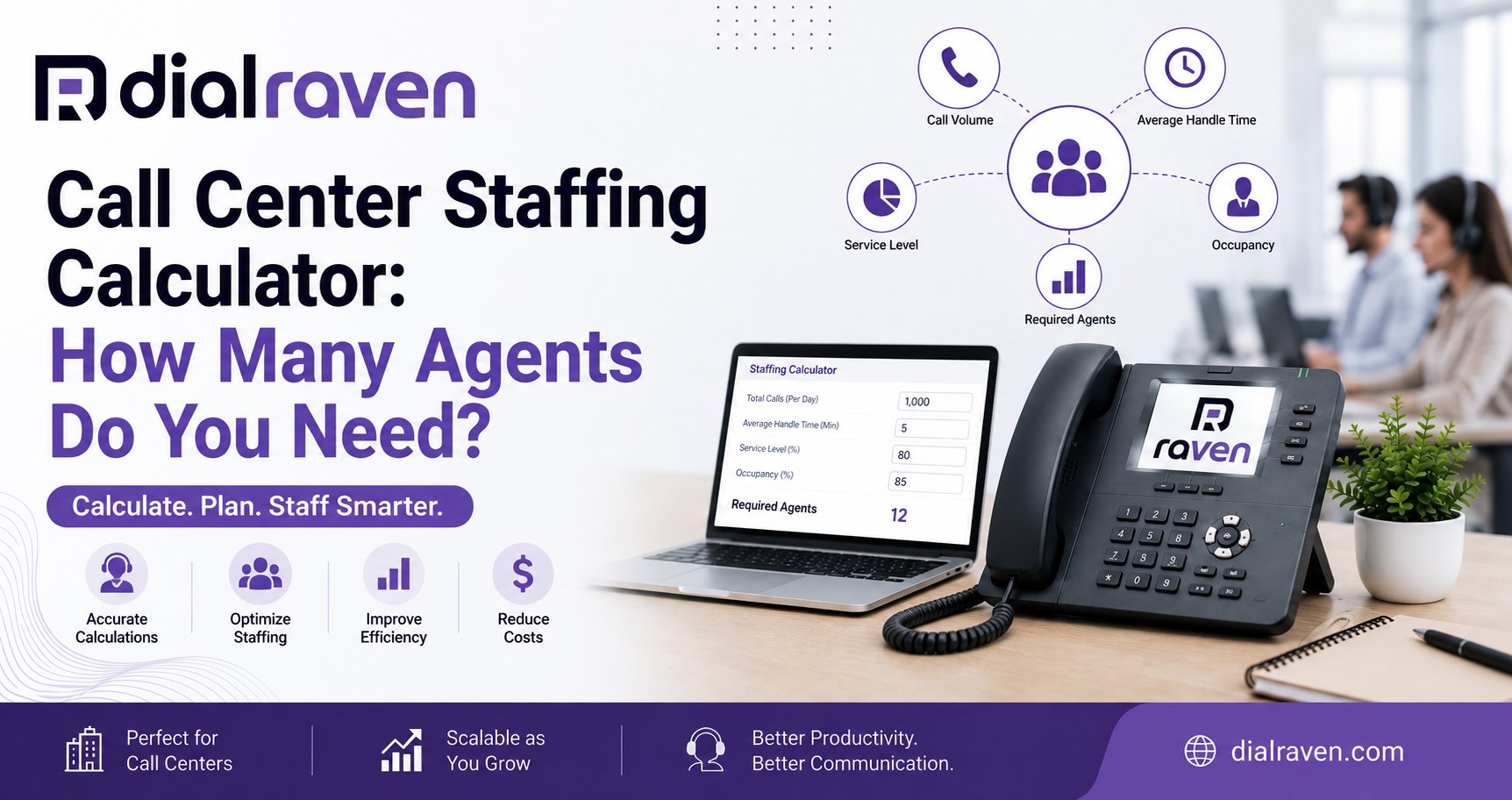
Call Center Staffing Calculator: How Many Agents Do You Need?
Estimate how many agents your call center needs, account for shrinkage and occupancy, and compare staffing against service-level goals.
How many call center agents do I need?
Quick answer
A call center staffing calculator estimates how many agents are required from call volume, average handle time, service-level targets, occupancy, and shrinkage. Erlang C calculates productive agents; shrinkage converts that result into scheduled headcount.
By Dial Raven Team
VoIP Communication Expert
A call center staffing calculator estimates how many agents your business needs to handle inbound calls while meeting a defined service-level goal. Instead of dividing total calls by the number of employees, it evaluates interval call volume, average handle time, target answer speed, occupancy, and shrinkage. The result helps you identify productive agent requirements, scheduled headcount, and potential staffing gaps before long queues and abandoned calls affect customers.
How Many Call Center Agents Do You Need?
You need enough available agents to handle the workload generated during your busiest recurring interval while meeting your answer-time target. The exact number depends on calls offered, interval length, average handle time, desired service level, maximum occupancy, and the percentage of scheduled time employees are unavailable for calls.
For example, two support teams may each receive 500 calls per day but require different headcounts. A team receiving calls evenly throughout a ten-hour day has a different staffing requirement from a team receiving most of its calls between 9:00 a.m. and noon. Staffing should therefore be calculated in 15-, 30-, or 60-minute intervals rather than from daily averages alone.
Use the Call Center Staffing Calculator
Enter data from your busiest representative interval. The calculator uses the Erlang C queueing model to estimate productive agents, applies your occupancy limit, and then adjusts the result for shrinkage to determine scheduled headcount.
Calculator Inputs
| Input | What It Means | Example |
|---|---|---|
| Calls offered | All inbound call attempts during the selected interval, including answered and abandoned calls | 120 calls |
| Interval length | The period represented by the call volume | 30 minutes |
| Average handle time | Talk time, hold time, and after-call work combined | 240 seconds |
| Target service level | The percentage of calls you want answered within the target time | 80% |
| Target answer time | The maximum wait used in the service-level objective | 20 seconds |
| Maximum occupancy | The maximum percentage of logged-in time agents should spend handling calls | 85% |
| Shrinkage | Scheduled time lost to breaks, meetings, training, leave, and other non-queue work | 30% |
| Current agents | The number of employees currently scheduled for the interval | 24 agents |
Calculator Results
- Offered workload measured in Erlangs
- Minimum productive agents required
- Scheduled agents required after shrinkage
- Expected service level
- Average speed of answer
- Probability that a caller must wait
- Expected agent occupancy
- Current staffing surplus or shortfall
- Estimated labor cost for the selected interval
- Human-only and AI-assisted staffing scenarios
The output is a capacity-planning estimate, not an automatic hiring decision. Forecast accuracy depends on the quality of your call data and whether the operating assumptions match your real queues, agents, schedules, transfers, callbacks, and caller behavior.
How Does the Call Center Staffing Formula Work?
The call center staffing formula is completed in several stages. First, call volume and average handle time are converted into offered workload. Erlang C then estimates the number of productive agents required to meet the service-level goal. Finally, occupancy and shrinkage adjustments turn the theoretical result into a practical scheduled headcount.
Step 1: Calculate Offered Workload
Offered workload measures the amount of call-handling work arriving during an interval. The formula is: offered workload in Erlangs = calls offered × average handle time in seconds ÷ interval length in seconds.
If a team receives 120 calls during 30 minutes and average handle time is 240 seconds, the offered workload is 120 × 240 ÷ 1,800 = 16 Erlangs. This means the interval contains the equivalent of 16 agents being continuously occupied under the model's assumptions.
Step 2: Apply the Erlang C Model
An Erlang C staffing calculator evaluates how likely callers are to wait when a specific number of agents is available. It tests increasing agent counts until the selected service-level target is achieved.
The model does more than divide workload by agents. It accounts for random call arrivals and the possibility that several calls may arrive close together, even when average capacity appears sufficient. This is why simple division often produces an understaffed result.
Step 3: Check Agent Occupancy
Occupancy measures the proportion of available agent time spent handling calls and completing related after-call work. The basic formula is: occupancy = offered workload ÷ productive agents.
An agent requirement may technically meet the service-level target but still create an unsustainable occupancy rate. The calculator should therefore continue adding agents until both the service-level goal and selected occupancy limit are satisfied.
Step 4: Adjust for Shrinkage
Erlang C calculates the agents who must be available to handle contacts. It does not automatically account for breaks, training, coaching, meetings, leave, absence, or administrative work. Shrinkage converts productive-agent requirements into scheduled headcount.
The formula is: scheduled agents = productive agents ÷ (1 − shrinkage rate). If 20 productive agents are required and shrinkage is 30%, the calculation is 20 ÷ 0.70 = 28.57. Because a fraction of an employee cannot cover the queue, the scheduled requirement rounds up to 29 agents.
Call Center Agent Calculator: Worked Example
| Calculation Item | Example Value |
|---|---|
| Calls offered | 120 calls per 30 minutes |
| Average handle time | 240 seconds |
| Offered workload | 16 Erlangs |
| Service-level target | 80% answered within 20 seconds |
| Maximum occupancy | 85% |
| Productive agents required | 20 agents |
| Estimated service level | Approximately 81.7% within 20 seconds |
| Estimated occupancy | 80% |
| Shrinkage | 30% |
| Scheduled agents required | 29 agents |
This example shows why productive agents and scheduled employees are not the same number. Twenty people must be actively available to meet the modeled call demand, but approximately 29 people must be scheduled when 30% of paid time is unavailable to the queue.
The result can change quickly when call volume or handle time increases. It should therefore be calculated for multiple intervals across the day, not only for one average or one unusually quiet period.
Why Simple Call Volume Division Underestimates Staffing
A calculation such as total call minutes divided by available agent minutes measures workload but not queue behavior. It assumes calls arrive evenly and ignores the chance that several customers may call at the same time.
- Calls arrive unevenly rather than at perfectly spaced intervals
- Some calls last much longer than the average
- Agents spend time completing after-call work
- Breaks, meetings, coaching, training, and absences reduce availability
- Transfers and escalations may consume additional handling time
- Service-level targets require spare capacity for demand variability
- High occupancy leaves little room for unexpected call spikes
A reliable workforce plan must account for workload, variability, service expectations, and real employee availability. That is the main advantage of an Erlang C model over a basic calls-per-agent ratio.
What Is Average Handle Time?
Average handle time, commonly shortened to AHT, is the average time an agent spends completing one customer interaction. It should include the complete workload created by the call, not only the time the customer and agent are speaking.
| AHT Component | What to Include |
|---|---|
| Talk time | Time spent speaking directly with the caller |
| Hold time | Time the caller remains connected while the agent researches or consults |
| After-call work | Notes, disposition codes, CRM updates, follow-up tasks, and documentation |
The basic formula is: average handle time = total talk time + total hold time + total after-call work, divided by the number of handled calls.
Using talk time alone can materially understate staffing requirements. Dial Raven's AI call transcription can create searchable transcripts and summaries that reduce repetitive note-taking and help managers review why certain call types take longer.
What Does an 80/20 Service Level Mean?
An 80/20 service level means the operation aims to answer at least 80% of offered calls within 20 seconds. It does not mean every caller will be answered within 20 seconds, and it does not automatically measure whether the customer's issue was resolved.
The right target depends on customer expectations, business value, staffing cost, operating hours, and the urgency of the calls. A medical appointment line, emergency maintenance desk, hotel reservation team, and general information line may require different standards.
| Service-Level Example | Meaning | Operational Effect |
|---|---|---|
| 80/20 | 80% answered within 20 seconds | A commonly used planning benchmark |
| 80/30 | 80% answered within 30 seconds | Allows a slightly longer target wait |
| 90/20 | 90% answered within 20 seconds | Requires more capacity for a faster and more consistent response |
Managers should select a target deliberately instead of copying a benchmark that may not reflect their customers, budgets, or staffing model.
What Is Call Center Shrinkage?
Shrinkage is the percentage of scheduled time during which employees are paid or expected to work but are not available to handle queue contacts. It explains why the number of employees on the schedule must be higher than the number of productive agents calculated by Erlang C.
- Paid breaks and meal periods
- Team meetings and one-to-one meetings
- Training and coaching
- Paid leave and unplanned absence
- System or equipment downtime
- Administrative responsibilities
- Quality reviews and compliance tasks
- Time assigned to non-voice channels or back-office work
Do not select a shrinkage percentage merely to make the required headcount look affordable. Build it from historical schedule data and review the components separately so operational problems are not hidden inside one percentage.
What Is Agent Occupancy?
Agent occupancy is the percentage of available queue time spent handling calls or completing related after-call work. An agent at 85% occupancy spends approximately 51 minutes of each available hour on contact-handling activity and approximately nine minutes waiting for the next call.
Very low occupancy may indicate excess staffing or uneven scheduling. Sustained occupancy that is too high can create back-to-back calls, reduce recovery time, increase errors, and make the operation vulnerable to small changes in demand.
The correct occupancy limit depends on call complexity, emotional intensity, required documentation, service-level goals, and interval volume. Smaller queues generally experience greater volatility and may need more protective capacity.
Human-Only vs. AI-Assisted Staffing
The calculator can model a second scenario in which a percentage of routine calls is resolved through an AI receptionist, self-service IVR, automated status update, or another approved workflow. This helps managers compare the theoretical staffing effect before changing schedules or purchasing technology.
| Scenario | Calls in 30 Minutes | AHT | Productive Agents | Scheduled Agents at 30% Shrinkage |
|---|---|---|---|---|
| Human-only example | 120 | 240 seconds | 20 | 29 |
| Illustrative 20% call deflection | 96 | 240 seconds | 17 | 25 |
This comparison is illustrative, not a guaranteed staffing reduction. AI deflection should be based on real call reasons, successful completion rates, repeat-contact behavior, customer preferences, and escalation requirements.
Dial Raven's auto attendant and IVR routing can direct callers to the right destination, support approved self-service paths, and prevent agents from spending time transferring calls that could have been routed correctly at the beginning.
How Call Routing Affects Staffing Requirements
Staffing and call routing should be planned together. Adding employees will not fully solve long wait times if calls are entering the wrong queue, ringing unavailable agents, or being transferred repeatedly.
- Skills-based routing sends each caller to an appropriately qualified agent
- Overflow rules move calls when a queue reaches a defined threshold
- Time-of-day routing protects coverage during opening, closing, and after-hours periods
- Priority queues can protect urgent or high-value call types
- Callback options reduce the need for customers to remain on hold
- Shared queues can pool capacity across teams or business locations
- Remote-agent access can increase coverage without requiring a physical call center
Dial Raven's call center solutions for small business combine call queues, skills-based routing, supervisor monitoring, recording, AI transcription, and real-time analytics. These tools help managers compare the staffing forecast with actual queue performance instead of relying on assumptions alone.
The underlying cloud VoIP phone system also supports call queues, smart routing, IVR, remote calling, and scalable extensions for growing teams.
Call Center vs. Contact Center Staffing
A call center agent calculator is primarily designed for inbound voice queues where one agent handles one call at a time. A contact center staffing calculator may also need to account for email, SMS, WhatsApp, social messaging, and live chat.
| Channel | Typical Staffing Consideration |
|---|---|
| Inbound voice | Real-time arrival pattern, AHT, answer target, occupancy, and shrinkage |
| Live chat | Concurrent conversations per agent, response-time target, and chat duration |
| SMS and messaging | Response-time commitment, backlog, conversation duration, and concurrency |
| Backlog size, completion target, handling time, and required turnaround | |
| Social messaging | Channel volume, public-response risk, escalation, and response-time target |
Do not automatically apply a voice-only Erlang C result to every digital channel. Agents may handle more than one asynchronous conversation at a time, and work can often be carried between intervals. Dial Raven's AI omnichannel customer engagement platform brings messaging channels into one workspace, but each channel still requires an appropriate forecasting model.
Call Center Staffing Examples for Small Businesses
| Business Type | Common Peak Period | Staffing Risk | Useful Planning Action |
|---|---|---|---|
| Medical practice | Opening hours and lunchtime | Appointment calls overwhelm the front desk | Separate routine scheduling from urgent clinical escalation |
| Home services company | Early mornings and severe-weather periods | Dispatch and new-lead calls arrive together | Prioritize emergencies and route new jobs by territory |
| Property management office | Rent deadlines and maintenance events | Routine questions compete with urgent repair calls | Use separate queues and after-hours escalation |
| Hotel reservations team | Campaigns, events, and seasonal peaks | Booking calls wait behind general inquiries | Use skills-based routing and overflow coverage |
| Insurance agency | Renewal periods and weather events | Service calls compete with new-business opportunities | Separate policy service, claims, and sales queues |
| Small support center | Product releases and outage periods | Historical averages fail during sudden demand spikes | Create surge plans and monitor interval forecasts |
The same staffing model can support different industries, but the operational assumptions should reflect each queue's urgency, call complexity, repeat-contact risk, and customer expectations.
Limitations of an Erlang C Staffing Calculator
Erlang C is valuable for inbound call-center planning, but it is still a simplified model. Its assumptions should be understood before the result is treated as an exact forecast.
- Calls are assumed to arrive randomly within the interval
- Handling times are represented by an average distribution
- Callers are assumed to wait instead of abandoning the queue
- Each available agent handles one interaction at a time
- Agents within the modeled group are treated as equally capable
- The model does not automatically account for transfers between queues
- The model does not automatically forecast demand changes
- A single calculation does not replace interval-by-interval scheduling
If abandonment is significant, queues use multiple skills, or agents handle several channels concurrently, the model should be supplemented with historical abandonment analysis, skills-based forecasting, and scenario testing.
How to Collect Accurate Calculator Data
Use reports from your phone system, automatic call distributor, CRM, or contact-center platform. Collect data for several representative weeks and preserve interval-level detail.
- Calls offered, including calls abandoned before answer
- Calls answered
- Calls abandoned and abandonment timing
- Average talk time
- Average hold time
- Average after-call work
- Average handle time
- Service level by interval
- Average speed of answer
- Longest wait time
- Agent occupancy
- Agent status and schedule adherence
- Transfer rate and repeat-contact rate
Use business call recording and call analytics to identify interactions that are unusually long, repeatedly transferred, or suitable for coaching. Pair quantitative reports with call reviews so the forecast addresses the causes of excess handle time rather than simply adding staff.
How to Turn Calculator Results Into a Staffing Plan
- Export call volume and handle-time data by 15-, 30-, or 60-minute interval
- Remove known outages or one-time anomalies only after documenting them
- Forecast expected call volume for each interval
- Run the Erlang C calculation using the selected service-level target
- Apply a practical occupancy limit
- Adjust productive agents for historical shrinkage
- Compare required headcount with employees already scheduled
- Review queue design, routing, self-service, and AI opportunities
- Build shifts around interval requirements rather than daily totals
- Compare forecast results with actual performance and update assumptions regularly
A staffing plan should be reviewed whenever the business changes operating hours, launches a campaign, enters a busy season, opens a new location, introduces automation, or experiences a material change in call volume or handle time.
Frequently Asked Questions
How many call center agents do I need?
The required number depends on calls offered per interval, average handle time, target service level, answer-time target, maximum occupancy, and shrinkage. Use peak interval data rather than daily averages, calculate productive agents with Erlang C, and then adjust for shrinkage.
What inputs does a call center staffing calculator require?
The core inputs are calls offered, interval length, average handle time, target service level, and target answer time. A practical calculator should also include maximum occupancy, shrinkage, current headcount, and optional labor cost.
What is Erlang C?
Erlang C is a queueing model used to estimate how many agents are needed to handle inbound calls while meeting an answer-time or service-level target. It assumes callers wait in the queue until an agent becomes available.
What does an 80/20 service level mean?
An 80/20 service level means the operation aims to answer at least 80% of offered calls within 20 seconds. It is a planning target, not a guarantee that every caller will be answered within 20 seconds.
What should be included in average handle time?
Average handle time should include talk time, hold time, and after-call work such as notes, disposition codes, CRM updates, and required follow-up tasks.
How does shrinkage affect call center staffing?
Shrinkage increases scheduled headcount because not every scheduled employee is available to handle calls throughout the interval. Breaks, meetings, training, leave, absence, coaching, and administrative work should be included.
What occupancy level should a call center target?
There is no universal occupancy target. The appropriate limit depends on queue size, call complexity, service goals, and employee workload. The calculator should enforce the occupancy level selected by the business rather than applying one number to every operation.
Can AI reduce the number of agents required?
AI may reduce live-agent workload when it successfully resolves routine calls or completes approved self-service tasks. Staffing changes should be based on measured completion, escalation, repeat-contact, and customer-satisfaction results rather than an assumed deflection percentage.
Is the calculator result a final hiring recommendation?
No. It is a capacity-planning estimate. Final staffing decisions should consider forecast uncertainty, abandonment, multiple skills, schedules, labor rules, channel mix, routing, quality goals, seasonal demand, and business-continuity requirements.
A calculator gives you a defensible starting point, but the strongest plan combines staffing data with queue design, call routing, reporting, and automation. Share your current call-volume report or calculator results with Dial Raven and our U.S.-based communications team will review your staffing gap, service-level goals, routing rules, and AI opportunities. Request a free call center capacity review.
Related pages
Ready to modernize your phone system?
Talk to a Dial Raven specialist and get a plan built around how your team works.